Master Virtual Meeting Etiquette: Your Complete Guide to Professionalism Online
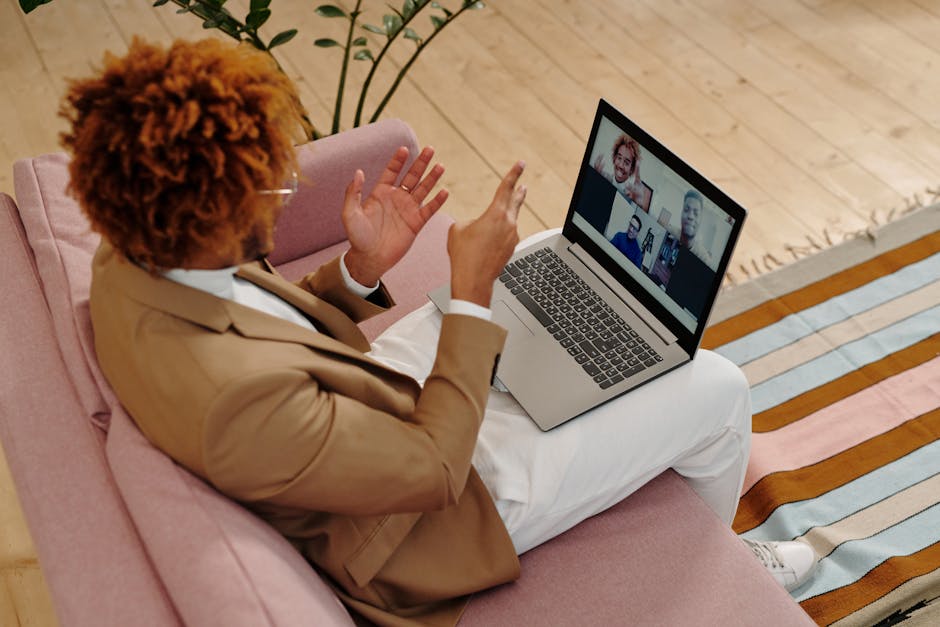
In today’s interconnected world, virtual meetings are no longer a novelty but a necessity. Whether you’re collaborating with a global team, attending a client presentation, or participating in a remote workshop, knowing how to conduct yourself professionally in a virtual setting is paramount. Mastering virtual meeting etiquette ensures you make a positive impression, contribute effectively, and foster productive communication. This guide will equip you with the essential skills to shine in every online interaction.
Executive Summary
This article provides a comprehensive overview of virtual meeting etiquette, covering preparation, during the meeting conduct, and post-meeting follow-up. It emphasizes technical readiness, professional appearance, clear communication, active engagement, and respectful interaction to ensure successful virtual collaborations. An actionable checklist is provided to help you implement these best practices.
Table of Contents
- Before the Meeting: Setting the Stage for Success
- During the Meeting: Engaging Effectively
- After the Meeting: Ensuring Follow-Through
- Action Plan: Your Virtual Meeting Etiquette Checklist
- References
Before the Meeting: Setting the Stage for Success
The foundation of a successful virtual meeting is laid well before you click the "Join" button. Proactive preparation minimizes disruptions and maximizes your contribution.
Technical Preparation
Nothing derails a virtual meeting faster than technical difficulties. It’s your responsibility to ensure your equipment is functioning optimally. Are you wondering if your internet connection is stable enough for a video call? A quick speed test can save you embarrassment. Similarly, ensure your microphone and camera are working correctly. Test them beforehand, especially if you’re using new software or hardware. Familiarize yourself with the meeting platform; knowing how to mute/unmute, share your screen, or use the chat function can make a significant difference. For those new to remote collaboration, exploring resources on Facilitating Productive Virtual Meetings can be invaluable.
Environment and Appearance
Your background and appearance speak volumes. Choose a quiet space free from distractions. A neutral, tidy background is ideal. Avoid busy patterns or cluttered areas. As for your appearance, dress professionally, just as you would for an in-person meeting. While comfort is important in a remote setting, unprofessional attire can undermine your credibility. Ensure good lighting so your face is clearly visible. Position your camera at eye level to create a more natural and engaging presence.
Agenda and Preparation
Before joining, review the meeting agenda. Understand the objectives and prepare any materials or talking points you need to contribute. If you’re expected to present, practice your delivery. This foresight ensures you can jump into discussions informed and ready to add value, rather than fumbling for information.
During the Meeting: Engaging Effectively
Once the meeting begins, your focus shifts to active participation and respectful interaction.
Joining and Greeting
Log in a few minutes early to ensure everything is working. Wait for the host to start the meeting. When you join, greet the host and other participants warmly. Avoid joining late unless absolutely necessary, and if you do, do so quietly and acknowledge your arrival briefly.
Communication Best Practices
Speak Clearly and Concisely: When you speak, articulate your words clearly. Avoid interrupting others. Use the "raise hand" feature if available, or wait for a natural pause in the conversation. If you’re not speaking, mute your microphone to prevent background noise from disrupting the meeting. This simple act of muting is one of the cornerstones of good virtual meeting etiquette.
Be Mindful of Non-Verbal Cues: Since you can’t rely on physical presence, your non-verbal cues on camera are crucial. Maintain eye contact by looking at the camera, not just the screen. Nod to show you’re listening. Minimize fidgeting. Your body language should convey attentiveness and professionalism.
Use the Chat Function Wisely: The chat box is a powerful tool for asking questions, sharing links, or making brief comments without interrupting the speaker. However, avoid excessive chatter that can be distracting. Use it for relevant contributions.
Active Participation and Engagement
Virtual meetings require more deliberate effort to stay engaged. Ask clarifying questions, offer constructive feedback, and share your insights. If the meeting is designed for collaboration, consider how activities can foster connection, such as through virtual team building games. Contributing meaningfully keeps you and others invested in the discussion. Remember, effective communication is a two-way street, and your active role is vital. Leaders, in particular, should be mindful of fostering an inclusive environment, which is a key aspect of virtual leadership development.
Handling Distractions and Technical Glitches
Unexpected events happen. If a distraction occurs in your environment (e.g., a pet or family member), mute yourself immediately and address it discreetly. If you experience technical issues, don’t panic. Mute your mic and camera if possible, and briefly state the problem if you can’t resolve it quickly. Often, simply rejoining the meeting can fix minor glitches. If you’re the host, have a backup plan or designate someone to step in if technology fails.
After the Meeting: Ensuring Follow-Through
The meeting doesn’t end when you click "Leave." Proper follow-up ensures that the decisions made and actions agreed upon are executed.
Follow-up Actions
If minutes or action items were assigned, ensure you follow through on your responsibilities promptly. If you were assigned a task, confirm its completion or provide updates as agreed. If no formal minutes were taken, consider sending a brief email summarizing key decisions and action items to ensure everyone is aligned.
Action Plan: Your Virtual Meeting Etiquette Checklist
To make these best practices stick, use this checklist before and during your next virtual meeting:
- Before the Meeting:
- Test your internet connection.
- Check microphone and camera functionality.
- Familiarize yourself with the meeting platform.
- Select a quiet location with a clean, professional background.
- Dress professionally.
- Review the agenda and prepare your contributions.
- During the Meeting:
- Join a few minutes early.
- Mute your microphone when not speaking.
- Speak clearly and concisely.
- Wait for pauses before speaking; use the "raise hand" feature if available.
- Maintain eye contact with the camera.
- Minimize distractions and fidgeting.
- Use the chat feature for relevant, brief comments or questions.
- Engage actively and contribute to discussions.
- If technical issues arise, address them calmly and discreetly.
- If distractions occur, mute immediately.
- After the Meeting:
- Follow up on assigned action items promptly.
- Send a summary of key decisions/actions if appropriate.
References
- "The Future of the Office Is Hybrid," Harvard Business Review
- "Virtual Meeting Best Practices," MIT Technology Review
- "How to Make Virtual Meetings More Productive," Forbes
- "Effective Communication in Virtual Teams," Journal of Applied Psychology
- "Guide to Virtual Meeting Etiquette," TechTarget
Featured image by Diva Plavalaguna on Pexels